

Custom Office Chair Ergonomics: MSDA's Guide to Lumbar and Headrest Support
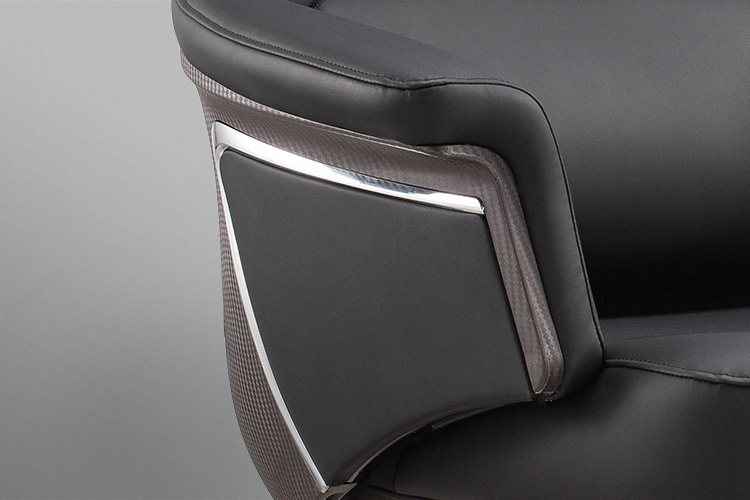
Two features separate a chair that merely looks ergonomic from one that genuinely supports the body through a long working day: lumbar support and headrest positioning. Both are frequently misunderstood, often poorly adjusted, and occasionally dismissed as marketing extras. In reality, the lower back carries the heaviest burden during seated work, and the neck accumulates strain quietly until it becomes a persistent problem. MSDA designs both features into its custom chairs with careful attention to how bodies actually behave when seated, and this guide explains what proper lumbar and headrest support looks like, why each matters, and how users should set them up to get real benefit.
The Lower Back's Burden During Sitting
When a person sits, the pelvis rotates backward and the natural inward curve of the lower spine flattens, transferring load onto discs and surrounding tissues that were never designed to bear it continuously. This is why lower back discomfort is the most common complaint among office workers, and why lumbar support exists as a corrective measure. A well-placed lumbar support restores the spine's natural curve, filling the gap between the backrest and the lower back so that the muscles can relax instead of working constantly to hold posture. Without this support, even a generously padded chair allows the back to slump, and discomfort accumulates through the day.
What Proper Lumbar Support Actually Feels Like
Good lumbar support should feel like gentle, consistent pressure rather than a hard prod digging into the spine. MSDA designs lumbar pads with contoured foam that follows the back's natural curve, distributing support across a wider area instead of concentrating it at a single point. The support should fill the inward curve at roughly belt height, neither too high nor too low. When positioned correctly, users often describe the sensation as their back being held rather than pushed. Chairs that provide no support leave the back unsupported, while overly aggressive supports create their own discomfort, and the right balance comes from careful design and correct adjustment.
Adjusting Lumbar Position for Different Bodies
No single lumbar position serves every body, which is why MSDA builds adjustability into its chairs. Height adjustment allows users to align the support with their own spinal curve, which varies considerably between individuals. Depth adjustment, available on some models, controls how firmly the support presses into the back. Users should experiment until the support feels like comfortable pressure, then revisit the setting periodically, since posture and clothing change across seasons. Those who share chairs should adjust lumbar position at the start of each session rather than accepting whatever the previous occupant left behind. Correct adjustment takes seconds and pays off across the entire working day.
Why the Neck Needs Support Too
The head weighs roughly five kilograms, and holding it steady while staring at a screen places continuous load on the neck muscles. Without support, the head drifts forward, a posture that strains the cervical spine and produces the stiffness many desk workers recognize by evening. Headrests exist to share this load, supporting the head's weight so the neck muscles can relax. This matters most during reclined positions, when the head would otherwise fall backward, but a well-designed headrest also helps during upright work by providing a reference point that discourages forward head drift.
Positioning a Headrest Correctly
Headrest adjustment determines whether the feature helps or interferes. The headrest should contact the back of the head at roughly eye level or slightly above, supporting the skull rather than pushing the neck forward. When reclining, the head should rest naturally against the pad without the chin tilting upward. Users should adjust height and angle to suit their own proportions, and those who wear glasses or use headsets may need slightly different positioning. A headrest set too low pushes the head forward, creating the very strain it was meant to prevent, so spending a moment on adjustment is essential.
When Headrests Make Sense and When They Don't
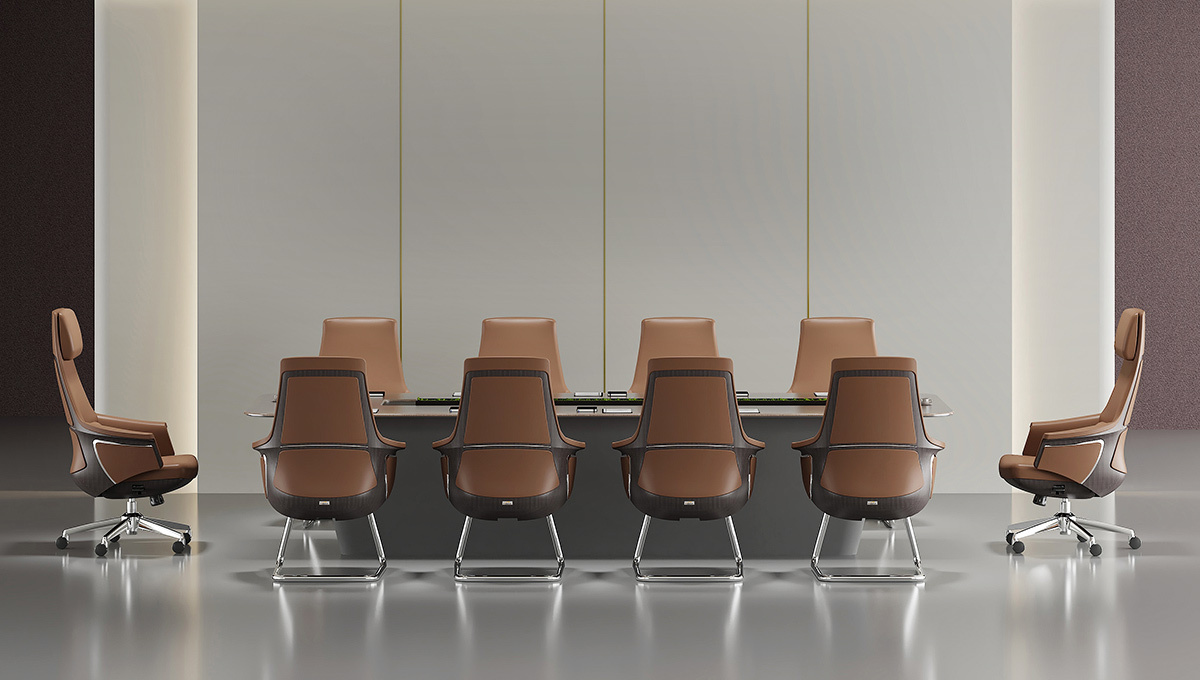
Not every chair benefits from a headrest, and MSDA advises clients on when the feature earns its place. Task chairs used primarily for focused desk work may not need one, since users sit upright and rarely recline. Executive chairs, meeting room seating, and any custom office chair used for extended sessions or reclined work justify the feature more clearly. Height and body proportions matter as well, since headrests designed for average users can sit awkwardly for very tall or very short occupants. The design team helps clients decide based on actual usage patterns rather than adding features for their own sake.
Bringing Lumbar and Headrest Together
Lumbar support and headrest function as a coordinated system, since the position of one influences the other. A properly supported lower back allows the upper body to settle into a natural alignment, which in turn lets the headrest meet the head at the right angle. When both are correctly adjusted, the spine maintains its natural curves and the surrounding muscles can relax through the working day. MSDA encourages users to set lumbar support first, then adjust recline, and finally position the headrest, since each step builds on the last. This sequence produces the coordinated support that makes long hours at a desk genuinely sustainable.
 Romaian
 English
 Arabic
 French
 Spanish
 Portuguese
 Deutsch
 Turkish
 Dutch
Dutch
 Italiano
 Russian
 Portuguese (Brazil)
 Greek
Greek